MT4
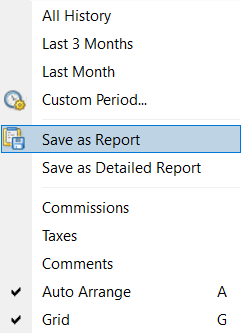
You can generate a trading history report and export it as an HTML or Excel file. To do this, open the MT4 platform and go to the Account History tab at the bottom of the Terminal window. Right-click anywhere within this window and select Save as Report. A new window will open, allowing you to choose the location to save the file. Click Save to complete the process.
MT5
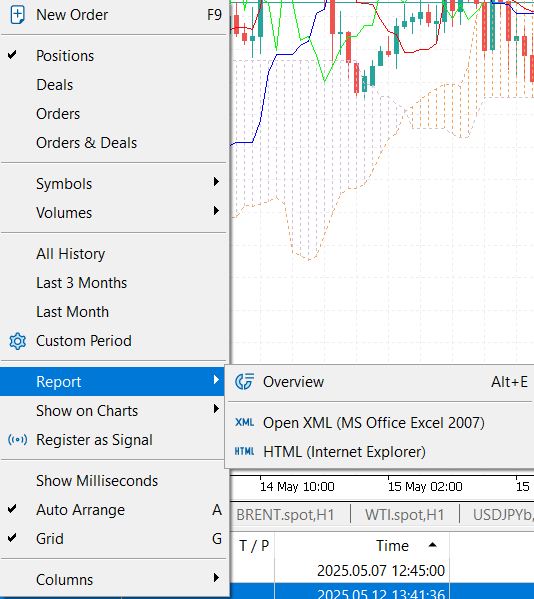
In MT5, a trading history report can be generated from the History tab at the bottom of the Toolbox window. Right-click anywhere in the window and first select the desired time period. Then right-click again and choose Report. Next, select the report format: HTML or Excel. A new window will open for you to choose where to save the file. Click Save to finish the process.