






For traders, risk management and profit maximization are key factors for success. One effective tool to achieve these goals is partial position closing.
Core principles of partial position closing
Partial trade closing, also known as scaling out, is a strategy traders use to secure profits or reduce losses without closing an entire position. Instead of exiting the market all at once, the trader gradually closes parts of the position, allowing the remaining portion to benefit from further potential market movement.
For example, a trader might open a 1-lot position on the EUR/USD pair and set four target levels for taking partial profits. At the first target, they could close 0.25 lots, then reduce the position by another 0.25 lots at each subsequent level. This locks in profits along the way while reducing risk, until the position is fully closed at the final target.
Alternatively, a trader might use a fixed-percentage method for scaling out. For instance, they could close 50% of the remaining position at each target: first 0.5 lots, then 0.25, followed by 0.125, and so on. This technique leaves a small portion of the trade open to capture additional gains and is often paired with a trailing stop to help maximize overall profitability.
How to partially close a position in the MT4/MT5 mobile app
iPhone/Android
1. Tap Trade on the bottom panel.
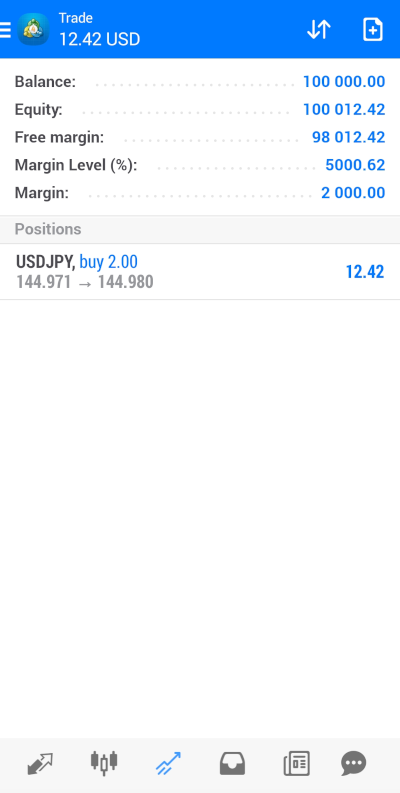
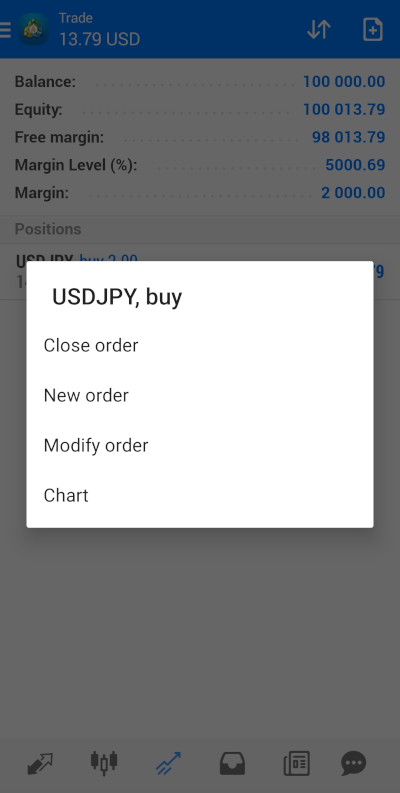
2. Then tap and hold the position you want to reduce and select Close Order.
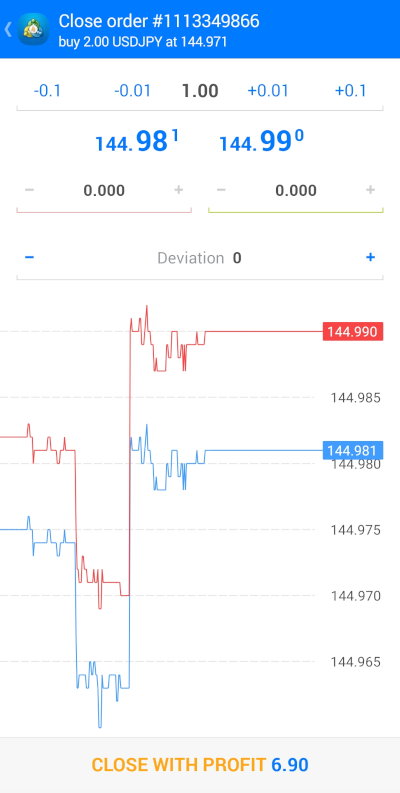
3. Enter the number of lots you wish to close.
4. Tap Close. You should see options such as Close with Profit or Close with Loss.
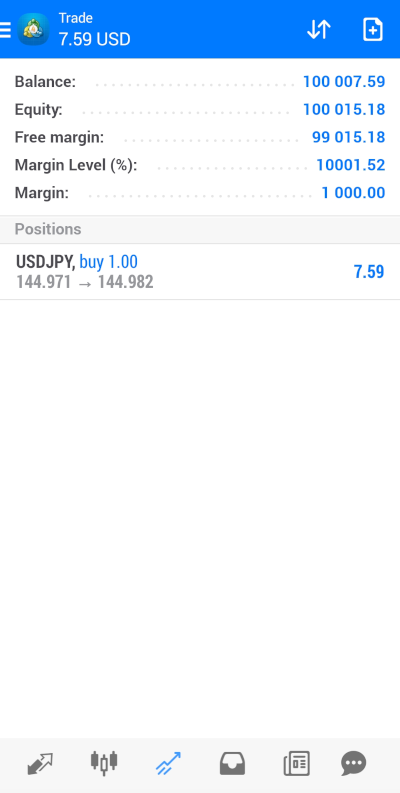
5. When the confirmation message appears on screen, tap Done to return to the Trade tab. You will see that your position has been partially closed.
In this video, you will learn how to close and modify trades in MT 4 on your iPhone.