






Installing the Terminal
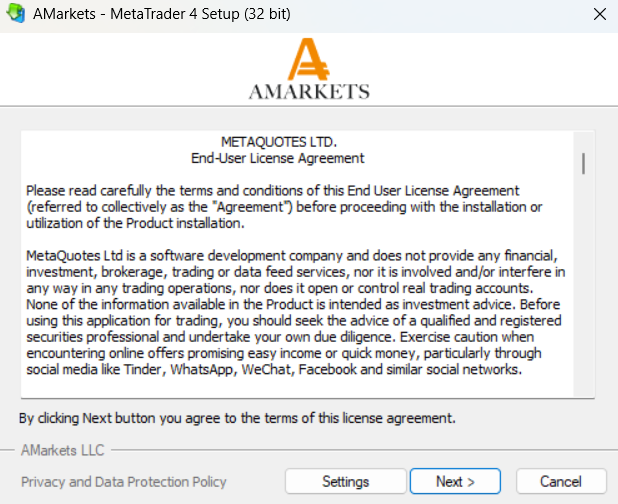
To install the terminal, you need to download the installer and run it. Download the setup file for MetaTrader 4 or MetaTrader 5. Next, choose the installation directory for the program and follow the wizard’s instructions. Once the installation is complete, the terminal will launch automatically.
Authorization
Authorization is the process of connecting your trading terminal to the server using a login and password, which grants access to manage your trading account. The terminal offers two types of access: main and investor.
- Main access: Logging in with the main password gives you full control over the terminal and your account.
- Investor access: This allows you to view the account status, analyze price data, and use custom indicators or Expert Advisors. However, you cannot perform trading operations or use Expert Advisors to trade. This access is ideal for demonstrating the trading process without risking trades.
To log in, right-click the account number in the Navigator window and select Login to trade account from the context menu, or choose this option from the File menu. In the login window, enter your account number, password (either trade or investor), and select the server, AMarkets-Real or AMarkets-Demo. Once all details are filled in, click OK to connect.
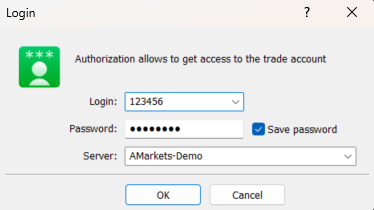
If the Save account information option is enabled, the terminal will automatically log in to the last used account upon the next launch. Similarly, the Keep personal settings and data at startup option ensures the same behavior. However, if this option is disabled, all data related to previously used accounts and saved passwords will be deleted the next time the terminal is restarted.
This video will show you how to install the MetaTrader 4 trading platform and connect to your trading account.