






1. Select the Trade tab in the Terminal window at the bottom of the screen.
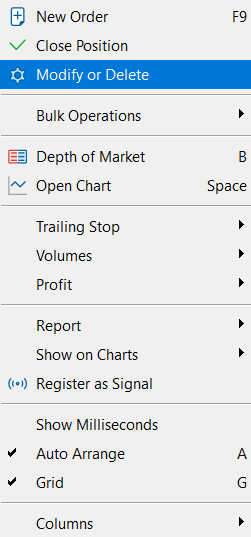
2. Right-click on the open position and choose Modify or Delete. Alternatively, you can double-click on the position.
3. Set the Type to Market Execution and enter the volume you want to close.
4. Click Close below the Sell and Buy buttons.
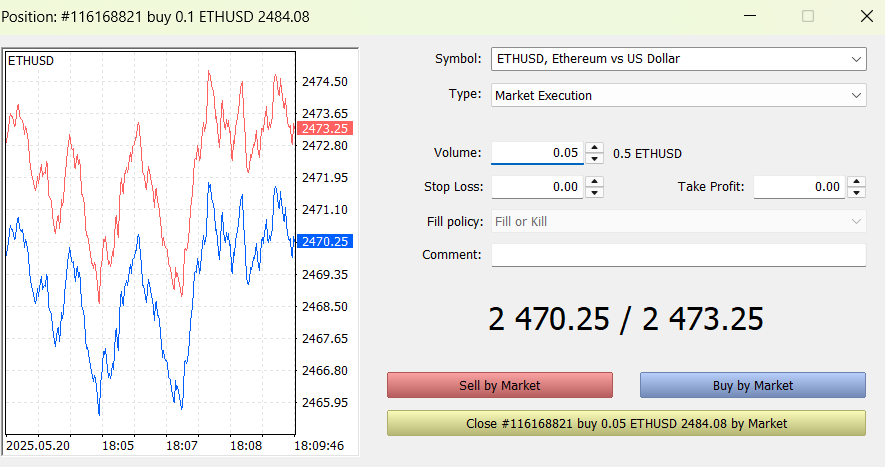
You should now see that the total volume of your position has decreased by the amount you entered, which means the partial closure was successful.
